

AI-generated music has moved from a weird internet experiment to a serious content category on music streaming platforms. A few years ago, listeners could instantly tell when something was AI-generated because it sounded unnatural and repetitive. Now you may never know your favorite tracks or even artist vocals are AI-generated.
Some AI-generated tracks are pulling in millions of Spotify streams and generating real income every single month. That instantly make people wonder if they can actually make money with AI music on Spotify. The answer is yes, but not in the way most people think.
This guide breaks down the entire process step-by-step. From creating AI music that actually sounds good to building playlists and driving traffic that can turn streams into passive income, you’ll learn the complete strategy beginners can use to enter this growing industry.
Is AI-generated Music Allowed on Spotify?
Yes, AI-generated music is allowed on Spotify as long as it doesn’t violate copyright policies or impersonate artists. Spotify prohibits manuplating their streaming system. Spaming the platform with hundreds of low-effort 30-second tracks is unacceptable, and will be flagged immediately once they are detected.
What’s allowed is using AI as a tool to write, produce, or assist your music, and it is completely fine to distribute it to Spotify. However, if the project is entirely AI-driven or lacks a human artist identity, it will not be eligible for a verification badge as it’s only given to human artists. Moreover, you must put AI disclosure in the song credits to let listeners know it’s generated by AI.
Does Spotify Really Pay Per Stream? How Royalties Work
Now before diving into how to create AI music, it’s important to understand how Spotify payments actually work to reset your expectations. Spotify uses a streamshare model where net revenue from Premium subscription fees and ads is pooled together and distributed to rightsholders based on the proportion of total streams their music received.
Spotify doesn’t pay you ditectly, it pays royalties to the rightsholders (record labels, distributors, publishers, or collecting societies) who own the licensing rights. The rightsholders then distribute the money to you.
As of April 2024, Spotify implemented a strict policy where a track must reach a threshold of at least 1,000 streams within the previous 12 months, as well as a minimum number of unique listeners, to be eligible to generate music royalties at all. This was specifically introduced to prevent users from gaming the system, which is what I don’t want you to do even if your are using AI in your music.
Step-by-Step Guide to Making AI Music That Generates Real Money
To make money through AI music, you need to follow a strategy rather than working randomly.
Choose the Right AI Music Niche
One of the biggest mistakes beginners make is creating random music with no clear direction. Successful AI music creators usually focus on one niche and build around it consistently.
Some niches naturally perform better because they encourage long listening sessions and repeat usage.
Some of these popular niches we recommend choosing is sleep music, focus music, meditation audio, and relaxing instrumentals. Since listeners usually play these types of music on repeat, create a professional playlist in one niche that they could play for hours while sleeping or studying. That repeat behavior sends strong engagement signals to Spotify and makes you more money.
Create Long-Form Music
Spotify rewards engagement and listening duration. Longer tracks can improve total listening time, especially in ambient genres, while an 8-second track can give you terrible results.
Many creators report that combining multiple AI-generated sections into extended tracks lasting 10 minutes or longer worked well for them. This increases session duration and creates a smoother listening experience.
Instead of uploading a short two-minute clip, creators often structure tracks by starting with an ambient intro section, then moving into the main melodic progression and instrumental transitions, followed by an extended atmospheric loop, and finally a fade-out ending. This structure keeps listeners engaged longer while making playlists feel more immersive.
Use AI Music Generators Effectively
Modern AI music tools have become shockingly good when given detailed prompts. Instead of typing something vague like “make relaxing music,” experienced creators build prompts that describe emotion, atmosphere, instruments, pacing, and mood.
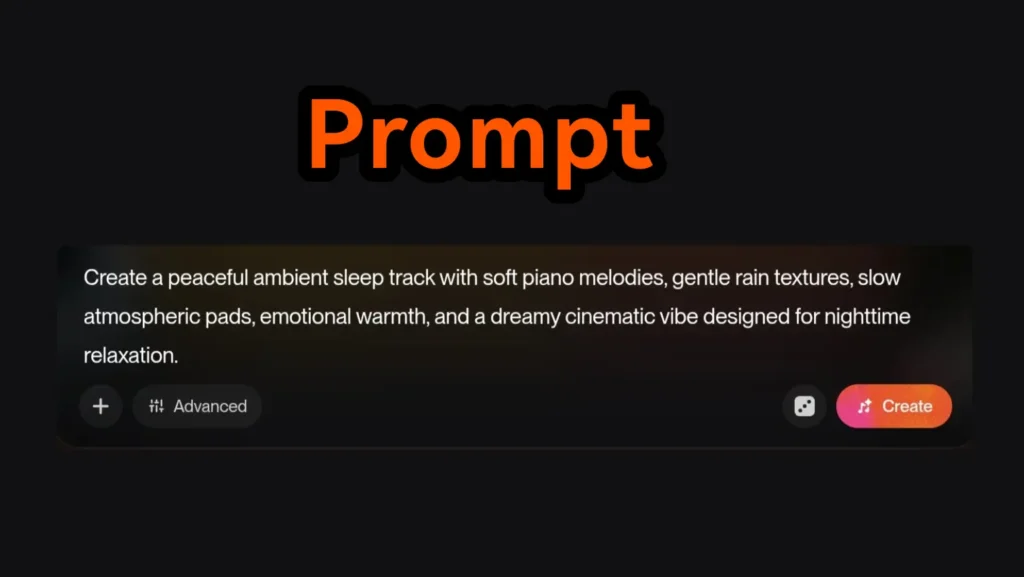
For example, a weak prompt might say: “Create calm music.” while a stronger prompt would say “Create a peaceful ambient sleep track with soft piano melodies, gentle rain textures, slow atmospheric pads, emotional warmth, and a dreamy cinematic vibe designed for nighttime relaxation.”
The more detail you provide, the better the AI understands the emotional direction of the track. I recommend using tools like ChatGPT or Gemini to generate these advanced prompts before pasting them into AI music generators.
Another smart strategy is generating multiple versions of the same concept. Instead of settling for the first output, successful creators often create several variations and combine the best sections together. This creates a more natural listening experience that feels less repetitive.
When choosing your tracks, listen carefully for transitions, vocal glitches, awkward loops, or unnatural instrument changes. Even though AI can generate music quickly, curation still matters.
Don’t Rely on AI Alone
Since most AI music generators have limitations on the number of tracks you can generate daily and their duration, it’s better to subscribe to a premium plan instead of using the free version. This gives you more freedom to adjust settings and achieve better results.
Also, I recommend using your own talent in the process. Create a balance between you and AI. For example, you can sing and play the piano while adding beats generated by AI. Don’t rely entirely on AI if you want to create music that feels polished and professional like a record label production.
This also puts you in a safer position in case Spotify updates its AI policy in the future and starts removing tracks that rely too heavily on AI. A good rule of thumb is that excessive use of AI in anything usually isn’t a good idea. Always give your tracks a human touch. Your goal is to create something that the majority of people won’t skip. Tracks that sound robotic, repetitive, or emotionally empty tend to be heavily skipped which signal low engagement to Spotify algorithm and we don’t want that.
Brand Your AI Music Like a Real Artist
One reason many AI music projects fail is because they look fake. From the artist name and profile picture to the album covers and song titles, everything can feel rushed or artificial. Build your artist profile like a real artist by adding a professional bio, linking your social media accounts, and creating a clear identity around your music.
Your artist name matters more than most beginners realize. A strong name creates an emotional connection, helps listeners remember your music, and gives your project an identity people can relate to. Choose a name that’s easy to remember, easy to search for, and fits the mood of your music.
Consistency matters too. Your logo, profile image, banners, and album covers should all follow the same visual style. Your visuals should instantly communicate the feeling of the music before someone even presses play. Look at what your favorite indie artists are doing and learn from their branding style.
Uploading AI Music to Spotify
Once your tracks and branding are ready, the next step is distribution. This is where many beginners get confused because Spotify doesn’t allow direct uploads from independent creators.
Best Music Distributors for AI Creators
To get your music onto Spotify, Apple Music, Amazon Music, and other streaming services, you need a music distributor. These platforms act as middlemen between artists and streaming services. You either pay for distribution or they take a percentage of royalties.
Some popular distributors that worked for AI artists are RouteNote and Distrokid. You pay DistroKid works annual fee while keeping 100% royalties. Meanwhile, RouteNote distributes for free but keeps percentage of royalties which is a good choice for beginners who don’t have the budget and testing things out.
However, many creators eventually prefer paid services like DistroKid because keeping full royalty earnings becomes more valuable as streams grow.
When uploading your music to your chosen distributor, make sure all information looks professional. Ensure artist name consistency, proper genre selection, high-quality artwork, correct song titles and metadata accuracy. These small details can affect how trustworthy your music appears.
Setting Up Spotify for Artists
One of the most important steps many beginners skip is claiming their Spotify for Artists account.
This dashboard gives you control over your artist profile and access to analytics that can help you grow. Inside Spotify for Artists, you can upload artist photos, add profile banners, write artist bios, track listener analytics,monitor stream growth and submit music for playlist consideration.
A polished artist page increases credibility and can encourage listeners to follow your account and look for new music from you.
The Golden Strategy That Actually Gets Streams
This is a hard pill to swallow but I have to say it. Uploading music alone and relying on Spotify discovery are not enough. Spotify has millions of tracks uploaded constantly. You are basically competing with record labels and artists with giant fanbase so your music don’t only has to be unique, you should have a strategy to get thousands up to millions of monthly streams.
TikTok and Youtube shorts are the most powerful tools you can use when promoting your AI music. Create as many engaging short-form videos and spread them everywhere while adding Spotify playlist links in descriptions.
Common Mistakes That Will Put Your AI Music in Danger
Many beginners sabotage themselves before they ever gain traction. One major mistake is uploading low-quality spam tracks rapidly. This damages listener trust and risk your tracks removal.
Yes, one or four tracks won’t make you anything and you need to create playlists, but be mindful with it. Take the time with every track you create and don’t upload everything that AI generate for you.
Moreover, it’s important to use AI Music generators that accept commercial use of their tracks. Read terms and conditions and policies carefully before using an AI generator to stay safe.
Impatience is another killer. Building streams takes time. The creators earning passive income usually spent months consistently uploading music, refining branding, improving playlists, and testing traffic strategies. You won’t get streams immediately as it takes months until people discover you and gain followers.
Conclusion
Making money with AI music on Spotify is absolutely possible, but the music itself is only one piece of the puzzle. Although you are using AI, this isn’t easy money. The process consumes lots of time and effort as it may take months or even years until you receive your first payout from Spotify.
If you focus on creating emotionally engaging music, build a recognizable brand, optimize playlists, and consistently drive external traffic, AI music can become a real digital income stream over time.
